FINDING YOUR WAY AROUND ASYCUDA++
Ó UNCTAD - SITE (V1.15)
2.16
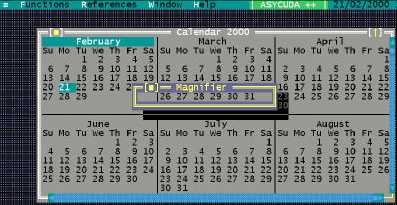
Calendar
A calendar of the current year, with the present day highlighted.
Magnifier
See screen above for an example of the magnifier in use.
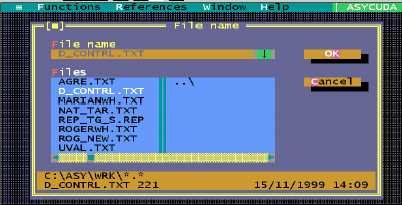
Text browser
Allows the user to view the contents of files on screen. This option brings up a window to allow
selection of a text (ASCII) file. Entering the file name and ‘OK' displays the file in a window on
screen:
The ASYCUDA client computer has several default directories for the storage of files. Text files are
usually save in the ..\ASY\WRK or ..\ASY\PRT – i.e. the ‘work’ or ‘print’ subdirectories. Other data
subdirectories, such as ..\ASY\SAD and …\ASY\CAR are for specific documents, such as SAD’s
and manifests.
To access a file in a subdirectory other than the default subdirectory, you need
to
enter
the
full
file
pathname
in
the
‘File
name’
box;
eg.
C:\ASY\WRK.filename.txt” If you need to do this frequently, it may prove easier
to write a keyboard macro to do this for you. See ‘Macros’ at page20.
Clipboard
This is the temporary storage area for text being copied between text boxes within ASYCUDA++.
Each new 'copy' writes over the previous text contained within Clipboard.
To copy text to the clipboard and to insert copied blocks of text within text boxes:
Fig. 2.8 Tools
Calender
Fig 2.9 Tools
Text Browser