MODCBR - CUSTOMS DECLARATIONS
Ó UNCTAD - SITE (V1.15)
3.15
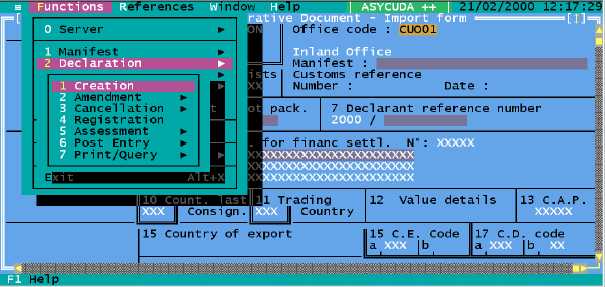
Fig. 3.3 MODCBR: Function: Declaration: Creation.
Users will first have to select from a window the type of declaration they wish to input, for example:
· Exportation
· Temporary Exportation
· Re-exportation
· Transit to exportation
· Other exportation procedures
· Importation for home use
· Temporary importation
· Re-importation
· Suspense
· Importation transit
· Other importation procedures
Once users select the type of declaration, the system will display the selected SAD on screen, and
declaration input can proceed by the user entering the required information in each box.
Move the mouse to place the cursor in any area of the SAD quadrant that is not
an input box, and then press the left button to activate the window text
movement facility. The 'scroll bars' appear on screen. This will enable the user
to move to other areas of the SAD. On the keyboard, <Alt> <S> activates the
window scroll bars.
Amendment
This option allows the user to retrieve and amend a declaration that has already been input. The
user can choose to retrieve a declaration stored on the Client PC, as a declaration file or a file
saved in EDI format, or from the Server. Declarations retrieved from the Server can have either a
'Stored' or 'Registered' status.
The retrieval of files is described in further detail below: