MODTRS - TRANSIT CONTROLS USING ASYCUDA++
Ó UNCTAD – SITE (V1.15)
7.11
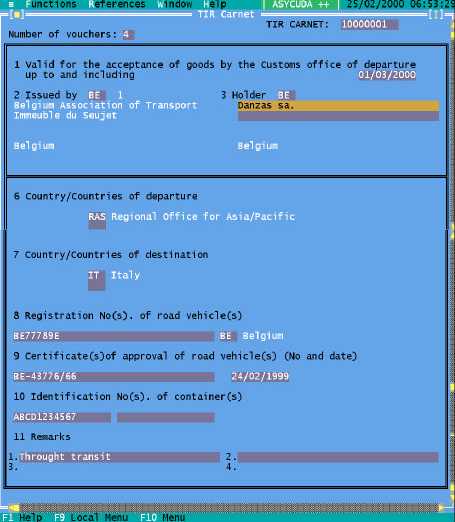
The TIR Carnet as it appears on screen in ASYCUDA++ is shown below.
Figure 7.1. ‘Functions’, ‘TIR Carnet’, ‘Open’
When the data fields of the TIR Carnet screen are completed, you can move to the Voucher screen
to complete the voucher details. Select ‘Local Menu’, ‘Voucher’ and this takes you to the ‘Goods
Manifest’ quadrant of the TIR Voucher screen.
The Voucher to the TIR Carnet as it appears (scrolled) on screen in ASYCUDA++ is shown below
at Figure 7.2.