MODTRS - TRANSIT CONTROLS USING ASYCUDA++
Ó UNCTAD – SITE (V1.15)
7.30
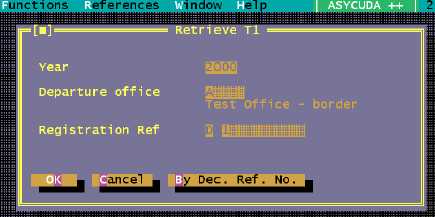
The Customs officer retrieves the T1 from the ASYCUDA++ server database. The data relating to
the arrival of the goods is recorded. The T1 is validated and an agent automatically sent to the
Office of Departure through the A++ Gate.
Figure 7.15: ‘Functions’, ‘T1’, ‘Validate, (Login).
The following options are available at the Office of Destination: -
Validate (only in MODTRS)
You can retrieve a T1 by its Declarant reference or Registration Reference. Once the T1 is
retrieved, you can open the Local Menu. The following operations can be done from the ‘Action’
option: -
· Validate
· Printout
As there are no fields to be captured at this stage, all fields are disabled on the T1 screen.
However, once you opt for ‘Validation’, a window will open up allowing you to capture the following
details if necessary:
· Arrival date of goods
· Examination of seals (up to 2 fields)
· Remarks (up to 4 fields)
· Conform (Yes/No)
If the goods agree with the documentation you can enter ‘Yes’ in the ‘Conform’ field. Completing
this box will validate the T1 and it will have the status ‘VALIDATED’. If this validation occurs after
the time limit specified in Box D of the T1, then it is ‘LATE VALIDATED’.
If the goods do not agree with the documentation and you enter ‘No’ in the ‘Conform’ field, the T1
will not be validated but have the status ‘ARRIVED’. An ‘ARRIVED T1’ can be retrieved at a later
stage for validation.