MODTRS - TRANSIT CONTROLS USING ASYCUDA++
Ó UNCTAD – SITE (V1.15)
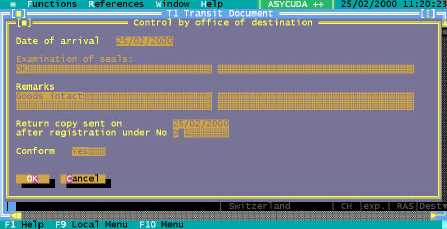
Figure 7.16: ‘Functions’, ‘T1’, ‘Destination office’, ‘Validate’, (Arrival details).
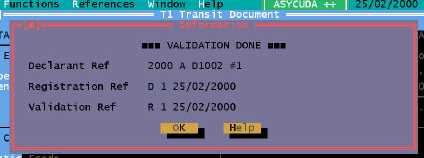
Validation of the T1 automatically generates an A++ Gate agent containing the T1 data and sends
a message to the Office of Creation specified on the T1 (Office of Departure).
Figure 7.17: ‘Functions’, ‘T1’, ‘Destination office’, ‘Validate’, (Validation done).
Generate manifest
The operation of generating a Manifest places the goods under normal Customs control when the
goods arrive at the Customs Office of Destination. Selecting one or more validated T1s from a list
automatically generates a Manifest with Bill(s) of Lading attached to it.
The option takes you to a selection screen where the parameters of the list can be chosen, e.g. the
list can be selected for one specific Declarant or Office of Departure.
You cannot choose the status of T1s in the list, the list must be validated T1s.
Once the list is produced, you can either:
1.
Select one T1 and generate a manifest; or
2.
Select multiple T1s and generate a manifest.
Manifest from One T1
The general segment of the Manifest is generated from the general segment of the T1 and the Bills
of Lading are generated from the T1 items.
Only the data elements available in the T1 are transferred to the manifest and the bills of lading. If
the T1 has one item, then there is one bill of lading on the generated manifest. If the T1 has multiple
items, then the T1 items are re-grouped according to the Commodity Codes of these items.
For example, if the T1 has four items with the same Commodity Code then one
Bill of Lading is generated for the four items. If four T1 items have different
Commodity Codes, then one Bill of Lading will be generated for each
Commodity Code.