MODTRS - TRANSIT CONTROLS USING ASYCUDA++
Ó UNCTAD – SITE (V1.15)
7.33
will generate the following Bills of Lading: -
B/L number
Commodity Code
Gross mass
Number of packages
TRS1999-125/1
85
200
3
TRS1999-125/2
8502
200
5
TRS1999-125/3
850210
10
1
TRS1999-125/4
89
50
1
The Voyage number of the generated manifest takes on the following structure: -
TRS + Year of T1 + “-“ + Validation no. of T1 where the Year and Registration number comes from
the first T1 tagged in the list.
The Bill of Lading number follows the following structure: -
TRS + Year of T1 + “-“ + Validation no. of T1 / 1 where the final number is incremented for each Bill of
Lading.
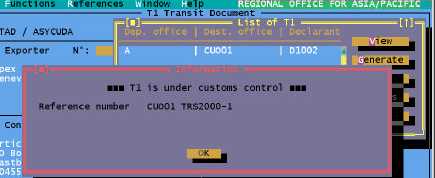
Figure 7.19: ‘Functions’, ‘T1’, ‘Destination office’, ‘Generate manifest’.
Bill of Lading Code and Status
In all cases, when a manifest is generated from a T1, the type of Bill of Lading code is 950
according to International Coding Standards. The status of the bills of lading will be ‘REGISTERED’
and the operation will be ‘FROM T1’.
Print/Query
View
The View option allows you to retrieve a T1 by its Declarant Reference or Registration reference.
The T1 can only be viewed. The ‘Local Menu’, ‘Actions’ available
Local store
Printout
List
The List option brings you to a screen to select parameters for the list of required T1s. You can
select a list for a specific Office of Departure, Office of Destination, declarant, consignee, exporter,
and within a date interval.
You must also select the status of the T1s to be listed and the status can be ‘Stored’, ‘Registered’,
‘Transmitted’, ‘Arrived’, ‘Validated’, ‘Late validated’, ‘Any’ or ‘Under Customs control’. The list can
then be sorted by ‘Office of Departure’, ‘Office of Destination’, ‘Declarant reference’, ‘Registration
reference’ or ‘Expiry date’. From the produced list, you can see the T1 and carry out one of the
following operations: -
View - Retrieve a T1 from the list for viewing only.