MODCHQCF - NATIONAL CONFIGURATION
Ó UNCTAD - SITE (V1.15)
8.21
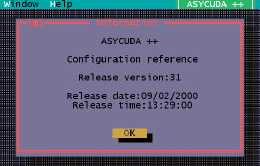
Configuration Reference
This option displays on screen information about the version of the configuration.
An example 'Information' screen:
Fig 8.8 MODCHQCF: Functions: Configuration Reference
Configuration Transfer
This menu option is used to transfer the configuration that you have created, from your Client
PC to the server. This is the reverse of the normal replication process that updates your Client
PC configuration files from the server files. This configuration transfer is essential to allow the
Server national configuration to be updated.
Transfer of the configuration will be refused if other users are logged in to your
ASYCUDA network. All other users must disconnect from the server before the
configuration can be transferred.
After requesting this option you will be asked for your name and password to log on to the
server. Acceptance at the screen displayed after you log on will cause your configuration file
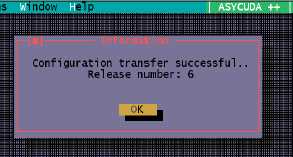
to be transferred to the server. You will receive a ‘reply’ in the form of an information
message, which will say:
After the configuration is transferred, the ASYCUDA engine on the server must be stopped
and then restarted. After the restart the updated configuration will be transferred to all users
when they next connect to the server by logging in.