MODSYSCF - CUSTOMS OFFICE CONFIGURATION
Ó UNCTAD - SITE (V1.15)
9.11
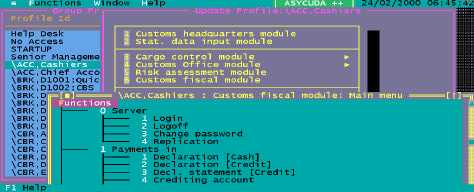
Fig 9.4 MODSYSCF : Security Group profiles
Creating or Altering a Group Profile
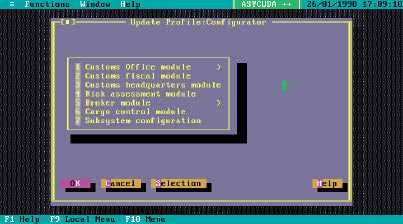
The system will display a menu of available modules, (like the example above), and selecting a
module opens the editing window. The editing window is a display of menu options in hierarchical
layout, where the different menu options may be toggled on or off by double clicking the mouse on
the appropriate option or pressing the space bar when the option is highlighted.
Fig 9.5 MODSYSCF : Group profiles: Customs Office Module
The new or altered group profiles are written to your client configuration files and
must be transferred to the server. After updating the group profiles you must
send the configuration to the server using the option Configuration transfer.
Hint: The ASYCUDA++ default setting for all menu options is ‘on’. In setting up
a new installation in a country, it is better to create a new User Group profile
with all menu options switched off. Using this new profile, (‘no access’), as a
starting point, the security manager can selectively switch on those options
necessary for the particular user group. Using this approach you are less likely
to overlook ‘switching off‘ a function that may compromise system security. This
is done by copying, renaming and resetting the ‘no access’ profile.