MODCHQCF - NATIONAL CONFIGURATION
Ó UNCTAD - SITE (V1.15)
8.22
Configuration Print-out
The Functions menu option, ‘Configuration printout’, gives the user an opportunity to see the details
of the current system/office configuration.
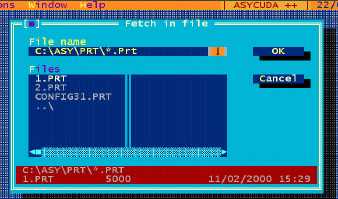
Configuration details may be directed to the local printer, or saved to a text file for on-screen
viewing. If ‘Text file’ is chosen, the user is asked to give a file name and ‘OK’.
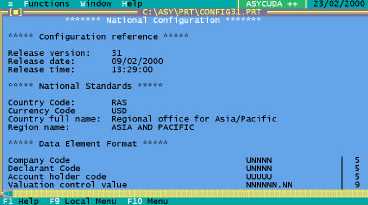
The text file is then displayed on screen and can be printed from the ‘Local menu’.
The saved version can be viewed from within ASYCUDA by retrieving the file using the Text
Browser option under the ‘Tools’ menu.
Fig 8.9 MODCHQCF Printout
A similar ‘Configuration printout’ option exists in MODSYSCF, for viewing office
configuration options set up from within that module.
The screen display of the National Configuration printout appears as below:
Fig 8.10 MODCHQCF: Function: Printouts: Text File