TAXATION MANAGEMENT USING ASYCUDA++
Ó UNCTAD - SITE (V1.15)
A.18
Inserting Rates of Taxation
To add rates of taxation or alter existing rates, select the Commodity Code that you want to
change. The Commodity Code can be selected by either scrolling through the codes on screen, or
by using the 'Options' button to more quickly access particular Commodity Codes. Select the
'Update' button to view the Commodity Code details.
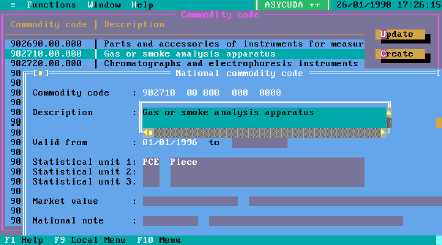
This is an example screen for Commodity Code 902710.
Figure A.11: MODCHQ: Functions: Database Management: Customs Tariff: Commodity Code
Insert Validity Dates "from .... to" in the format dd/mm/yyyy.
Important: See the Section on ‘Validity Dates’.
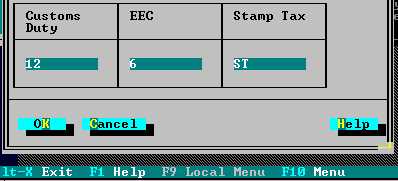
The bottom part of the Commodity Code screen appears as follows
Figure A.12: MODCHQ: Functions: Database Management: Customs Tariff: Commodity Code
You can alter existing rates or insert new rates directly in the tax column. Each change or addition
of rate adds a new Commodity Code taxation line to the table. Taxation lines added in this manner
can only be deleted if the taxation line is not valid and has never been valid, i.e. the taxation line
record has never become 'current' as regards the start validity date. See 'Validity Dates' below.
Tip: for development purposes, ‘Validity Dates' for trial changes to taxation lines
should be sufficiently in the future to not become current.