MODCHQ - SET UP AND MAINTENANCE
Ó UNCTAD – SITE (V1.15)
10.30
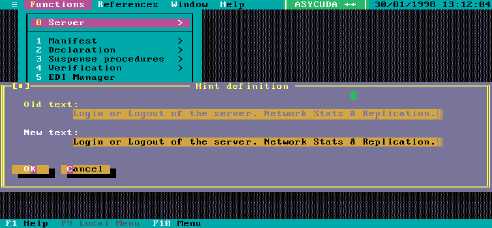
Fig. 10.23 Any module Hint editing <Ctrl>T
If you are using any language except English, then before pressing <Ctrl> H or
<Ctrl> T, you should select your own language from the Options menu. More
details on managing Help can be found in the Technical documentation.
ASYCUDA Reporting: Extractions of Statistical Data
Most statistics from ASYCUDA++ will be obtained through SQL, however a group of predefined
statistical reports can be obtained using this option. They are listed in the form of three databases
plus Loss of Revenue. This is to provide continuity for people familiar with previous versions of
ASYCUDA that used this three-database structure.
Standard Reports
The reports are produced on the server as either a server printout or file. If the report is requested
as a server file it may be transferred to your client machine and printed locally.
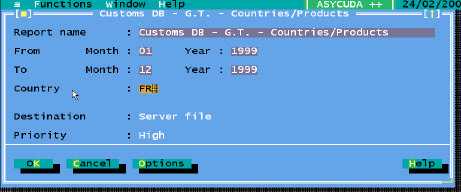
The screen to request all the printouts is very similar, as an example the screen for requesting the
‘Customs Database’, ‘General Trade’, ‘Countries/Products’ report is shown below. Under the
‘Customs Database’ the ‘General’ and ‘Special Trade’ options allow for the data to be included
in the report for different groups of ‘Extended Procedure’ codes as defined under that option.
Fig. 10.24 MODCHQ : Functions: Statistics: General Trade: Countries/Products
To choose either a Server printout or Server file you use the options button from this screen. The
following window will be displayed which allows you to define the report's destination. It also allows
you to set the priority of the process on the server.