MODCHQ - SET UP AND MAINTENANCE
Ó UNCTAD – SITE (V1.15)
10.7
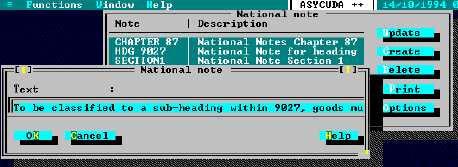
Fig. 10.3 MODCHQ : Functions: Database Management: Customs Tariff: National Note
These notes are then available to the user under the ‘Reference’ menu option query option in
MODCBR. See Section 2 of this Reference Document ‘Reference Menus within ASYCUDA
Modules’ .
Keywords
This option allows the setting up of a list of words that are cross-referenced to Commodity Codes to
allow a quick look up facility. When the keyword option is requested a list of Commodity Codes is
displayed matching the keyword requested.
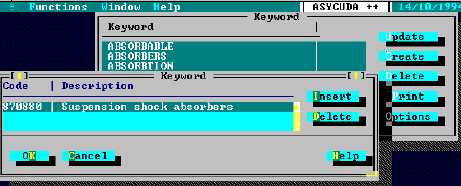
Fig. 10.4 MODCHQ : Functions: Database Management: Customs Tariff: National Note
A keyword list and the individual entries therein can be ‘amended’, ‘created’, or ‘deleted’. The
screen asks for the Commodity Codes to be associated with the keyword.
ASYCUDA++ is supplied with a default Keyword listing. Countries may need to
edit or update this list so as to meet their national requirements. If the tariff is
translated into another language the Keywords list must be re-built.
Tariff Components
This menu has the following sub options:
1.
Preferences,
2.
Statistical Units,
3.
Market Value,
4.
General Note.
5.
Quotas