MODSEL - SELECTIVITY MANAGEMENT IN ASYCUDA++
Ó UNCTAD - SITE (V1.15)
6.9
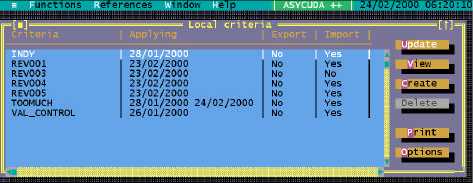
The screen following is an example of a 'Selectivity criteria' display:
Fig. 6.2 MODSEL: Functions: Local Criteria
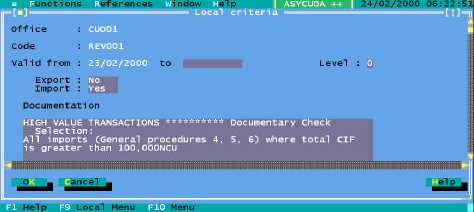
Selecting 'Create' or 'Update' displays the following screen:
Fig 6.3 MODSEL: Functions: Local Criteria: Update
By selecting the background area of the window the scroll bars are displayed. Scroll down screen
to the 'Criteria' editing box. Select the editing box to activate. Enter the required selection criteria.
'Criteria' works in the same manner as Tariff Rules. The ‘Local Menu’ includes the option to insert
or write text files, and to look up Keywords, Functions and Variables.
See Appendix A ‘Taxation Management’ for further details on using Rules and
Rules syntax. Descriptions of Selectivity keywords, functions and variables are
in Selection Criteria Syntax.
Describing Criteria (plain language)
In the documentation editing box (within the window) the selection criteria can be described. As this
text can be viewed by looking up the Criteria code from MODCBR it is important that the purpose
or reasons for the selection, as well as the intended scope of the criteria, be clearly described.
The reason for the selection and any specific tasks that are to be carried out by the Examining
Officer(s) should be clearly explained in plain language.
Note: Care should be taken to avoid the inclusion of any sensitive or
confidential information in this screen.