MODSEL - SELECTIVITY MANAGEMENT IN ASYCUDA++
Ó UNCTAD - SITE (V1.15)
6.21
MODSYSCF specifies whether Section assignment is used or not, as well as Examiner
assignment. Configuration is possible only if Selectivity is used. Automatic assignment of both
Examiners and Sections can be configured separately for import and export in MODSYSCF
‘Functions’, ‘System Parameters’. For further details see Section 9 of this Reference Document.
The Sections themselves are set up in MODSEL ‘Functions’, ‘Selectivity Management’, ‘Local
Sections’.
It is possible to insert a Tariff range using the syntax described in Section 10 of this Reference
Document. The section can also be associated with the ‘Location of goods’ which can be captured
on the SAD.
If selectivity is used, manual assignment (or re-assignment) of Section and
Examiner is always possible regardless of what is specified in the configuration.
It is impossible to manually assign an Examiner if no Section has been
previously assigned.
Sections criteria
Automatic assignment of section occurs during assessment through criteria. These criteria have to
be created and amended in MODSEL at Customs Office level. As already stated, a Section can be
linked to a Location of goods or Commodity Code range.
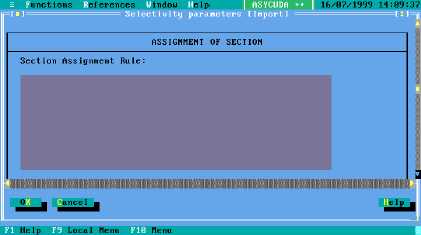
These criteria are created under the selectivity parameters option, on the lower part of the screen.
Figure 6.6 MODSEL : Functions: Selectivity management: Selectivity parameters: Import (+ scroll down)
The system will check the Section codes corresponding to the declaration flow (import/export) and
will first look at the location of goods (if any has been specified in the declaration). If two or more
Sections correspond to the location of goods, the system will look at the Tariff intervals for the
selected Sections. If there are Tariff intervals attached to the section, the system will turn to a local
rule that can be defined in the selectivity parameters.
Example:
Criteria "Sections";
If TypDec = "IM" then
Section is "SECT01";
Endif;
This rule is like a Selectivity Rule, which means that the same variables and functions that are used
for Selectivity Criteria are available. The ‘Section’ variable contains the Section code assigned to
the declaration. If no Section has been assigned, the Section code will be left blank and can be
assigned manually.