MODTRS - TRANSIT CONTROLS USING ASYCUDA++
Ó UNCTAD – SITE (V1.15)
7.14
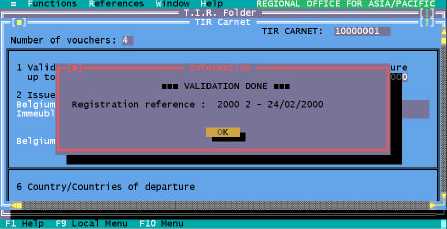
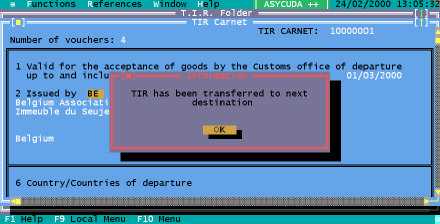
Validation Done
Figure 7.4 ‘Functions’, ‘TIR Carnet’, ‘Open’, ‘F9 Local Menu’, ‘Validate’ Registration Stored
Figure 7.5: ‘Functions’, ‘TIR Carnet’, ‘Open’, ‘F9 Local Menu’, ‘Validate’ Transferred
Stored TIR
With this option you can retrieve a stored TIR Carnet by it’s number. The same menu operations
are available on a stored TIR Carnet as for a new ‘Captured’ TIR.
Close
The TIR Carnet menu option ‘Close’ has a sub-menu with two options: -
1. Close;
2. Cancellation.
The ‘Close’ option represents final closure of a TIR Carnet, i.e. the TIR Carnet has arrived at its
final destination and the goods will be totally discharged.
The user is prompted for the TIR Carnet number of the carnet to be closed. The system checks that
the current office is the Office of final Destination. If this is the case, the TIR Carnet is retrieved and
the bottom right hand side of the voucher should be completed. The TIR Carnet can then be closed
with the ‘Close’ option in the Local Menu.
The TIR Carnet data agent is sent to the previous office via the A++ Gate. The field for number of
packages discharged is set to the total number of packages, as all remaining packages are being
discharged. The TIR is considered to be ‘CLOSED-INLAND’.