MODTRS - TRANSIT CONTROLS USING ASYCUDA++
Ó UNCTAD – SITE (V1.15)
7.16
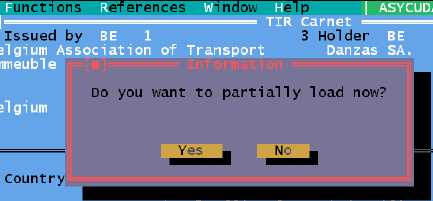
· If NO - the TIR Carnet remains on the screen for read only. To partially load, the next menu
option ‘Load’ can be used to retrieve the already closed TIR Carnet and perform the loading.
· If YES - the TIR Carnet remains on the screen and the goods quadrant of the voucher can be
modified to perform the loading. You can increase the number of packages and weight of the
goods on the voucher. Once this is done, the TIR Carnet can be validated (opened).
Figure 7.7: ‘Functions’, ‘TIR Carnet’, ‘Partial loading’, ‘Close and load’, (closed).
The action of Validation (‘Opening’) the TIR Carnet opens a window requesting the next intended
Office of Destination i.e. the office to which the TIR Carnet data agent should be sent, plus the
maximum time delay for this transfer.
If you have defined another Office of Departure within the reference country (an Office of Loading),
the next intended office will automatically be this Office of Loading. If not, the next intended Office of
Destination should be a Border Office of Exit. On validation, the TIR Carnet data agent is sent to
the next intended Office of Destination or Exit via the A++ Gate. The TIR is considered to be
‘OPEN-PARTIALLY LOADED’.
Partial Unloading
A partial unloading represents the discharge of some of the TIR goods in a third country and Office
of Destination. It can only be carried out in an Office of Destination defined on the voucher and
cannot be carried out in the country where the TIR Carnet has been created.
The first option on the partial unloading sub-menu is ‘Close and Unload’. The action of partial
unloading is in 3 parts:
· Close;
· Open (validation of the unloading);
· Placing the unloaded goods under customs control (optional).
The goods have been received from a previous office, the TIR Carnet is open, and it needs to be
closed before unloading.
The first operation is to retrieve the open TIR Carnet and close the carnet by completing the bottom
right hand side of the voucher. The carnet data field for number of packages discharged is set to
the number of packages that is to be unloaded at this office. This amount can be modified, as you
might decide to unload less or more than was originally intended for unloading at your office. If you
decide to unload a different amount than intended, you can allocate the remaining packages to be
unloaded at a new Office of Destination in the reference country. You can add this new office when
carrying out the action of unloading and re-opening the TIR Carnet.
You can only change the number of packages discharged if there are any
further offices of destination in the reference country or if there is space on the
voucher to add a new Office of Destination.